AI Video Generator: Kling 3.0, Veo 3.1, Seedance 2.0
6s, fixed by this model
77 / 2000
Sign in to start generating
How to generate and edit video
- 1
Describe the shot
Write what happens in the clip. Add an image to start from, or switch to Edit and upload a video to change one you already have.
- 2
Pick a model and the format
Choose the model, then the aspect ratio, the duration and the resolution it supports. The Generate button shows what the run will cost.
- 3
Generate and recreate
The clip lands in the feed beside the controls. Download it, or recreate it to load the same settings back and try a variation.
Explore more apps
See all

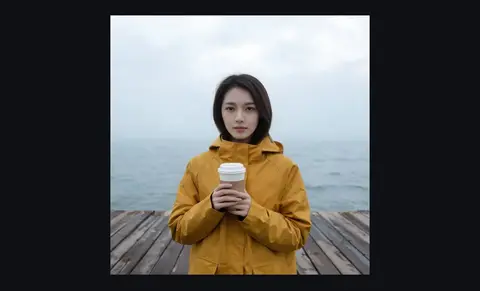
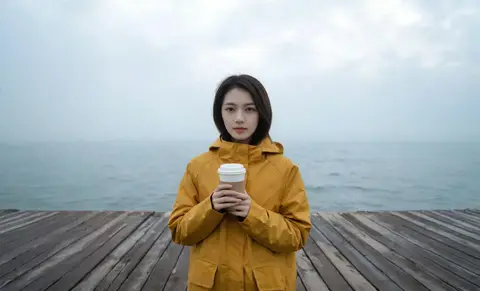
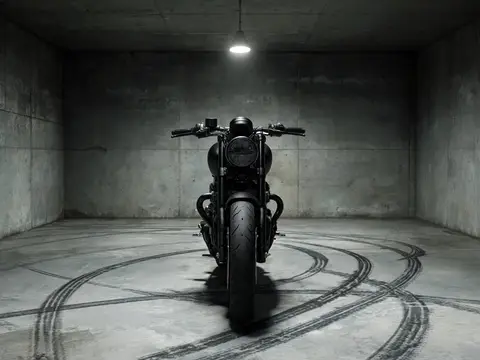
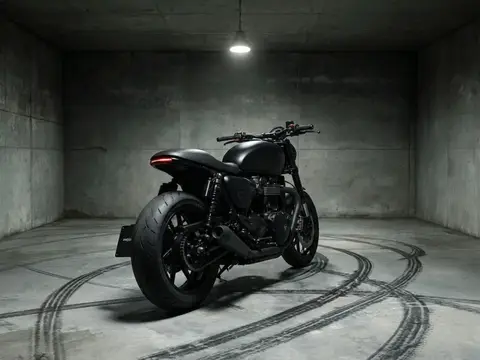
Video Studio: questions and answers
›What does the AI video generator cost?
Generating starts with a plan from $10 a month (500 credits a month). Video is priced by model, length and resolution, and the Generate button shows the exact cost before you run it; the $10 Basic plan (500 credits a month) covers a short clip on every model, including a 5 second clip on the default model. Monthly plans are on the pricing page.
›Which AI video models are available?
Seedance 1.5 Pro (the default), Seedance 2.0, Kling 3.0, Google Veo 3.1, Google Veo 3.1 Lite, Grok Imagine, Wan 3.0, MiniMax H3, Seedance 2.5, Wan 2.7, MiniMax Hailuo 2.3, Seedance 2.0 Mini, Kling 3.0 Standard, Seedance 2.0 Fast, Kling 2.6 Pro, MiniMax Hailuo 2.3 Fast and Google Veo 3.1 Fast. You can switch between them in one studio, and your settings are remembered per model.
›Can I turn an image into a video?
Yes. Add a start frame and the model animates from it, and models that support it also take an end frame or reference images. Some models need an image to start from, while others also work from text alone.
›How long can AI videos be, and at what resolution?
It depends on the model: lengths run from 4 to 10 seconds per clip, and most models offer 10 seconds. Resolution goes up to 4K on Seedance 2.0, Veo 3.1 and Veo 3.1 Fast.
›Do the videos have sound?
On models that support it, you can switch on generated sound for dialogue and effects. It is off by default because it costs more, and the button price updates when you turn it on.
›Can I use the videos commercially?
Kinoseed's terms say you keep ownership of what you upload and of the outputs you generate, subject to the terms of the underlying model providers. You are responsible for having the rights to any photo, clip or audio you upload. Results never carry a watermark.
Articles about Video Studio
- How to Use Seedance 1.5 Pro: Text or Image to Video, Sound, Price · How to use Seedance 1.5 Pro: text or a start image, an optional end frame, 5 to 10 second clips, sound on or off. Steps, prompts and the credits per clip.
- How to Use Kling 3.0: Text or Image to Video, Sound, Price · How to use Kling 3.0 step by step: text or a start image, an optional end frame, 5 or 10 second clips, Sound on or off, and the credits each clip costs.
- How to Use Veo 3.1: Text or Image to Video with Sound, Price · How to use Google Veo 3.1 step by step: a text prompt or a start image, 4 to 8 second clips up to 4K, Sound on or off, and the credits each clip costs.
- How Much Does an AI Video Cost? Price per Second for Each Model · What an AI video costs per clip and per second on Kling 3.0, Veo 3.1, Seedance and more, in credits and dollars, with sound and resolution included.
- How to Make an AI Video with Sound, Voices and Talking · Make an AI video with sound: tick Sound on Veo 3.1 or Kling 3.0, write the dialogue in quotes, or make a photo talk with your own audio. Steps and prices.
- How to Use Seedance 2.0: Text, Image or References to Video, Price · How to use Seedance 2.0: text, a start and end frame, or up to 9 reference images, 480p to 4K, sound included. Steps, prompts and the credits per clip.
- AI Video Aspect Ratio: 9:16 vs 16:9 vs 1:1, Which to Use · Which aspect ratio for an AI video: 9:16 for Reels, TikTok and Shorts, 16:9 for YouTube and sites, 1:1 for feeds. Every model's shapes and how to set them.
- How to Loop or Extend an AI Video with Start and End Frames · Make a seamless AI video loop with the same picture as start and end frame, or a longer video by chaining clips from their last frame. Steps and prices.
- How to Use Hailuo 2.3: Image to Video, Fast Version and Price · How to use Hailuo 2.3 and Hailuo 2.3 Fast to animate a photo, and MiniMax H3 for text to video. Steps, prompts for strong motion and the credits per clip.
- How to Use Wan 3.0: Text or Image to Video with Sound, Price · How to use Wan 3.0 for text or image to video with sound in the price, and Wan 2.7 for first and last frame clips. Steps, prompts and credits per clip.
- How to Write AI Video Prompts with Camera Moves · Write AI video prompts with camera moves that Seedance, Veo and Kling follow: push in, orbit, crane, tracking and more, with prompts to copy and real prices.
- How to Use Seedance 2.5: Inputs, Lengths, Sound and Price · How to use Seedance 2.5: text or a start image, an optional end frame, 4 to 10 second clips with sound. Steps, prompts and what each clip costs.
- How to Make a Vertical AI Video for Reels or TikTok · Make a vertical 9:16 AI video for Reels, TikTok or Shorts from a text prompt: pick the shape, the model and the length. Steps, prompts and real prices.
- How to Make a Text-to-Video Clip with Veo 3.1 and Kling 3.0 · Make a text-to-video clip with Google Veo 3.1 or Kling 3.0: write the prompt, pick the model, length and sound, and generate. Steps and real credit prices.