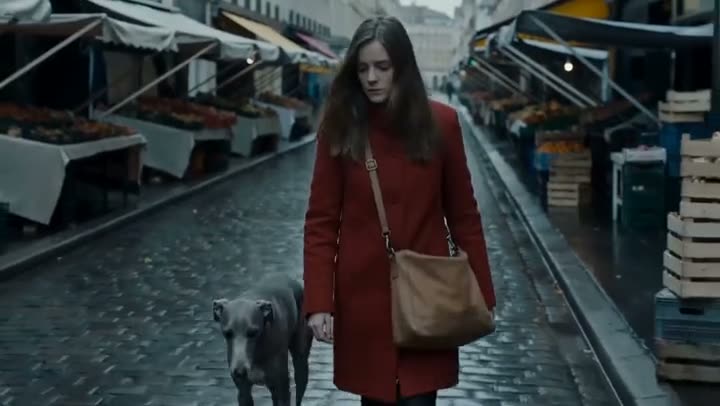
To use Seedance 2.0, open the Video studio, click the Model card and choose Seedance 2.0, write the shot in the Prompt (or add a Start frame, or up to 9 images under Images & elements), pick the shape, Resolution and Duration, and press Generate Video. Sound is made with the clip and is part of the price. A 5 second clip costs 130 credits at 480p, 280 at 720p, 650 at 1080p and 1,450 at 4K.
Seedance 2.0 is ByteDance's video model for shots that have to contain specific things: a product, a face, a place. It is the one model in the studio that goes from 480p drafts to 4K finals. This guide covers its three ways in, the settings, prompts and prices, and when its smaller versions are enough.
What you need
- An idea for one shot, a picture to start from, or a few images of what must appear in it.
- If an image shows a real person, use your own photo or one you have that person's permission to use.
- A Kinoseed account and some credits. Video starts with a plan; the $10 Basic plan (500 credits a month) covers 3 five second Seedance 2.0 clips at 480p.
Step by step
- 1
Open the Video studio and choose Seedance 2.0
The Model card shows Seedance 1.5 Pro, the default. Click it and pick Seedance 2.0. The Seedance 2.0 model page opens the studio with it already selected.
- 2
Pick one way in: text, frames or references
Text: write the Prompt and leave the image slots empty. Frames: drop a picture into Start frame under Start & end frames, and an End frame if the clip must finish on a set shot. References: add up to 9 images under Images & elements and cite them in the Prompt as [Image1], [Image2] and so on. References are a separate mode, so the start and end frames are ignored while any are attached. A start frame costs the same as text: 130 credits for 5 seconds at 480p.
- 3
Pick the shape, Resolution and Duration
Choose 16:9, 9:16 or 1:1 with the shape buttons, 480p, 720p, 1080p or 4K under Resolution, and 5, 8 or 10 seconds under Duration. There is no Sound switch: Seedance 2.0 makes sound with every clip and the price is the same either way.
- 4
Write the Prompt as one shot
Say who or what is in the frame, the one thing that happens, how the camera moves and the light. In reference mode, say what each image is for: "the woman in [Image1] holds the bottle from [Image2]".
- 5
Press Generate Video, then render the keeper higher
The price is on the button before you press it. Draft at 480p, and when a take works, run the same prompt at 1080p or 4K. The clip lands in the feed beside the controls, ready to download, with no watermark. A failed run is refunded automatically.

Prompts to copy
Paste any of these into Video studio as a starting point, then change the details to fit your photo.
Text only
Drone pull-out rising from a lone figure walking a knife-edge dune ridge at golden hour, tilting up to reveal an endless sea of dunes. Wind lifts fine sand off the crest.
Reference mode, two images
The woman in [Image1] walks through a sunlit market and picks up the bottle from [Image2], turning it toward the camera. Slow push in, warm late afternoon light.
From a Start frame
The camera slowly orbits the product as morning light moves across it. Nothing else moves.
What Seedance 2.0 costs
Per 5 second clip: 130 credits at 480p, 280 at 720p, 650 at 1080p and 1,450 at 4K. The biggest run, 10 seconds at 4K, is 2,850 credits. A start frame, an end frame or references do not change the price, and sound is always included. See pricing for the plans, and how much an AI video costs for every model side by side.
Seedance 2.0, Mini or Fast
The same Model list has two smaller versions that take the same three inputs, references included, at 480p or 720p: Seedance 2.0 Mini at 70 credits and Seedance 2.0 Fast at 110 credits for 5 seconds at 480p. Use one of them to find the shot, and Seedance 2.0 when you need 1080p or 4K. Against Kling, see Seedance 2.0 vs Kling 3.0.
More examples
Tips for better results
- Draft at 480p: 5 seconds there is 130 credits against 1,450 at 4K, so only render the keeper at the top.
- In reference mode, one image per thing: a face, an outfit, a product, a place. Cite each one by its number in the Prompt.
- Crop a Start frame to the shape you picked before you upload it, so nothing important is cut.
- Describe the sound in a few words if it matters, such as "rain on the window, distant traffic".
- For camera words models follow, see how to write AI video prompts with camera moves.
Frequently asked questions
Where can I use Seedance 2.0 online?
In the Kinoseed Video studio: pick Seedance 2.0 on the Model card. It runs in the browser from text, a start image or reference images.
How much does Seedance 2.0 cost?
Video starts with a plan. A 5 second clip costs 130 credits at 480p, 280 at 720p, 650 at 1080p and 1,450 at 4K, sound included. The exact price is on the Generate Video button.
How many reference images does Seedance 2.0 take?
Up to 9, added under Images & elements and cited in the Prompt as [Image1], [Image2] and so on. While references are attached, the start and end frames are not used.
How long can a Seedance 2.0 clip be?
5, 8 or 10 seconds. For something longer, make several clips and join them in an editor; see how to loop or extend an AI video.
Try it on your own shot.
Video studio is open to explore. The price of a run is on the button before you spend anything.