To loop an AI video, open the Video studio, pick a model with Start & end frames such as Seedance 1.5 Pro, drop the same picture into Start frame and End frame, describe a motion that comes back in the Prompt, and press Generate Video; the clip ends on the picture it began with, so it can play on repeat with little or no jump. To extend one, save the last frame of your clip, use it as the Start frame of the next clip, and join the clips in an editor. A 10 second clip from a picture on Seedance 1.5 Pro at 720p costs 50 credits.
There is no extend button: each model makes clips of a set length, up to 10 seconds, and the start and end frames are what join them. This guide covers both jobs, which models take an end frame, and how to hide the seams.
What you need
- A picture to start from, cropped to the shape you want. For a loop, the same picture is also the end.
- If the picture shows a real person, use your own photo or one you have that person's permission to animate.
- A Kinoseed account and some credits. Video starts with a plan; the $10 Basic plan (500 credits a month) covers 10 Seedance 1.5 Pro clips of 10 seconds at 720p.
Step by step
- 1
Pick a model that takes an End frame
Open the Video studio and look at the frames field: when it reads Start & end frames, the model takes both. Seedance 2.0, Kling 3.0, Wan 3.0, MiniMax H3, Seedance 2.5, Wan 2.7, Seedance 1.5 Pro, Seedance 2.0 Mini, Kling 3.0 Standard, Seedance 2.0 Fast and Kling 2.6 Pro do. Google Veo 3.1, Google Veo 3.1 Lite, Grok Imagine, MiniMax Hailuo 2.3, MiniMax Hailuo 2.3 Fast and Google Veo 3.1 Fast take a start frame only, so they cannot close a loop.
- 2
For a loop: the same picture in Start frame and End frame
Upload the picture to Start frame, then the same file to End frame. In the Prompt, describe motion that can return to the start: a slow orbit, hair and clothes moving in the wind, steam, waves, a light that sweeps across and back. Avoid anything that ends somewhere else, like a person walking out of frame.
- 3
For a longer video: chain clips from the last frame
Make the first clip. Play it to the end, pause on the last frame and save it (a screenshot at full size works, or export the frame in any video editor). Put that picture in Start frame for the next clip and write what happens next. Repeat, then join the clips in order in your editor. On Seedance 1.5 Pro, about 30 seconds of 10 second clips at 720p costs 150 credits.
- 4
Keep the settings the same across clips
Use the same Model, shape and Resolution for every clip of one video, and repeat the description of the subject, the light and the style in each Prompt, so the clips match.
- 5
Press Generate Video and check the seam
The price is on the button before you press it. Download the clip and play it on repeat, or play the join between two clips, before you make the next one. A failed run is refunded automatically.
Prompts to copy
Paste any of these into Video studio as a starting point, then change the details to fit your photo.
Seamless loop, product
The camera makes one slow full orbit around the bottle on the marble counter and returns to where it started. Soft morning light. Nothing else moves.
Seamless loop, portrait
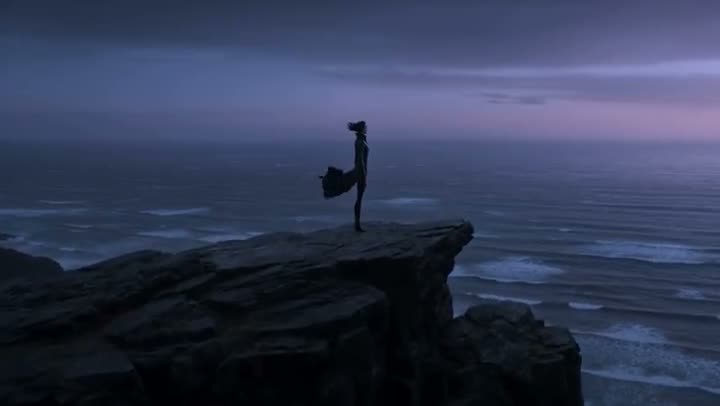
She stands still and looks at the camera while the wind moves her hair and scarf, then settles. Locked-off camera, golden hour light.
Next clip in a chain
Continuing the same shot: the hiker reaches the top of the ridge and stops to look at the valley below. Same light, same slow tracking camera from behind.
What it costs
A loop is one clip, so it costs one clip: 25 credits for 5 seconds from a picture on Seedance 1.5 Pro at 720p, or 110 on Kling 3.0. A start or end frame does not change the price on any model. A longer video costs the sum of its clips. See how much an AI video costs for every model.
Loop, transition or longer clip
Same picture at both ends: a loop. Two different pictures: a transition from one to the other, which the Transitions tool does with ready-made effects (see how to make AI video transitions). Last frame of one clip as the first of the next: a longer video. Clips run 4, 5, 6, 8 or 10 seconds depending on the model.
More examples
Tips for better results
- For a loop, choose motion that repeats in nature: water, smoke, wind, a spinning object, breathing.
- Keep the camera locked off or on a full orbit; a push in or a pan has to undo itself to loop, which looks like a wobble.
- Save the last frame at the clip's full size; a small screenshot makes the next clip softer.
- Write the subject the same way in every Prompt of a chain, down to the clothes and the light.
- Cut on movement when you join clips: a turn or a step hides a small jump better than a still moment.
Frequently asked questions
How do I make an AI video loop seamlessly?
Use the same picture as the Start frame and the End frame on a model that takes both, and describe a motion that can return to the start. The clip begins and ends on the same picture, so it can repeat with little or no jump. Check the seam before you post it.
How do I make an AI video longer than one clip?
Chain clips: save the last frame of a clip, use it as the Start frame of the next, and join them in an editor. One clip is at most 10 seconds.
Is there an extend button?
No. Each model makes a clip of a set length; the start and end frames are how clips are joined into something longer.
Which models can loop?
The ones that take an End frame: Seedance 2.0, Kling 3.0, Wan 3.0, MiniMax H3, Seedance 2.5, Wan 2.7, Seedance 1.5 Pro, Seedance 2.0 Mini, Kling 3.0 Standard, Seedance 2.0 Fast and Kling 2.6 Pro.
Try it on your own shot.
Video studio is open to explore. The price of a run is on the button before you spend anything.