Make a photo look cinematic
Add a phone photo, then name the camera, the lens and the stop. The same frame comes back as if it were shot on that rig, with its bokeh, flare and grain.
You need: One photo, and the look you want in a few words, or a camera and lens. A typical run is 16 credits, shown on the button before it starts.
Every run shows its price first, and a run that fails is refunded.
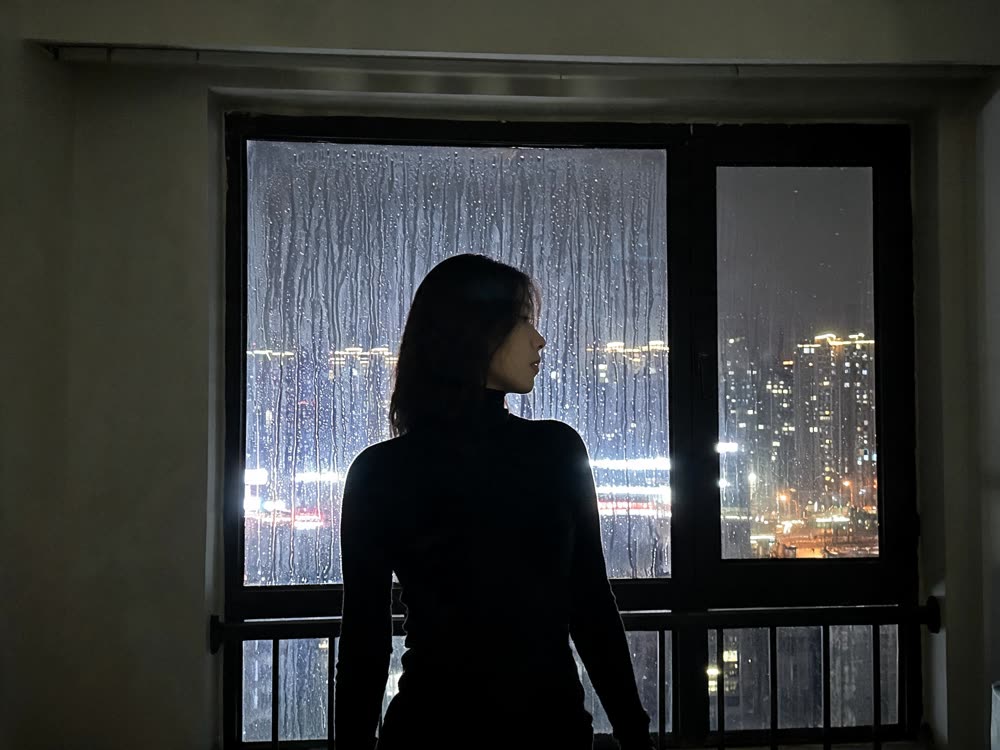
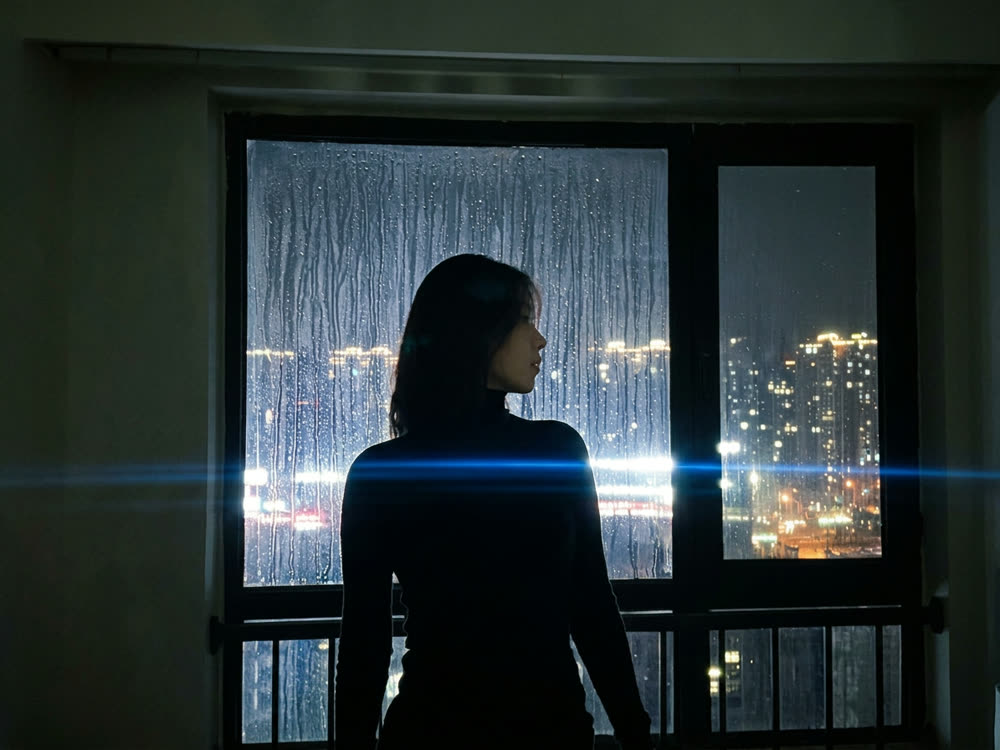
A real result from this tool, made with Nano Banana 2. The prompt: Re-shoot this exact frame on anamorphic cine glass: oval bokeh in the city lights, a blue horizontal flare across the frame, shallow focus falling off behind her, gentle barrel distortion at the edges, filmic contrast and fine 35mm grain. Same woman, same window, same composition.
What makes it come out well
- Name the lens as well as the camera. Anamorphic glass, a 50 mm at f/1.4 or a vintage zoom each give a different picture.
- Night scenes with lights in the background show the look best: the lights become the bokeh and the flare.
- Say what must stay: same person, same pose, same composition. The model then changes the look, not the shot.
Questions
Does it change the person in the photo?
It keeps them when you say so in the prompt. Faces can still shift a little, so check close-ups before you post.
Can I turn the result into a video?
Yes. Use it as the start frame in the video studio.