Replace something in a photo
Paint over the part you want gone and say what should be there, or leave it blank to remove it. The rest of the photo stays as it was.
You need: The photo. Words are only needed if something new goes in its place. A typical run is 16 credits, shown on the button before it starts.
Every run shows its price first, and a run that fails is refunded.
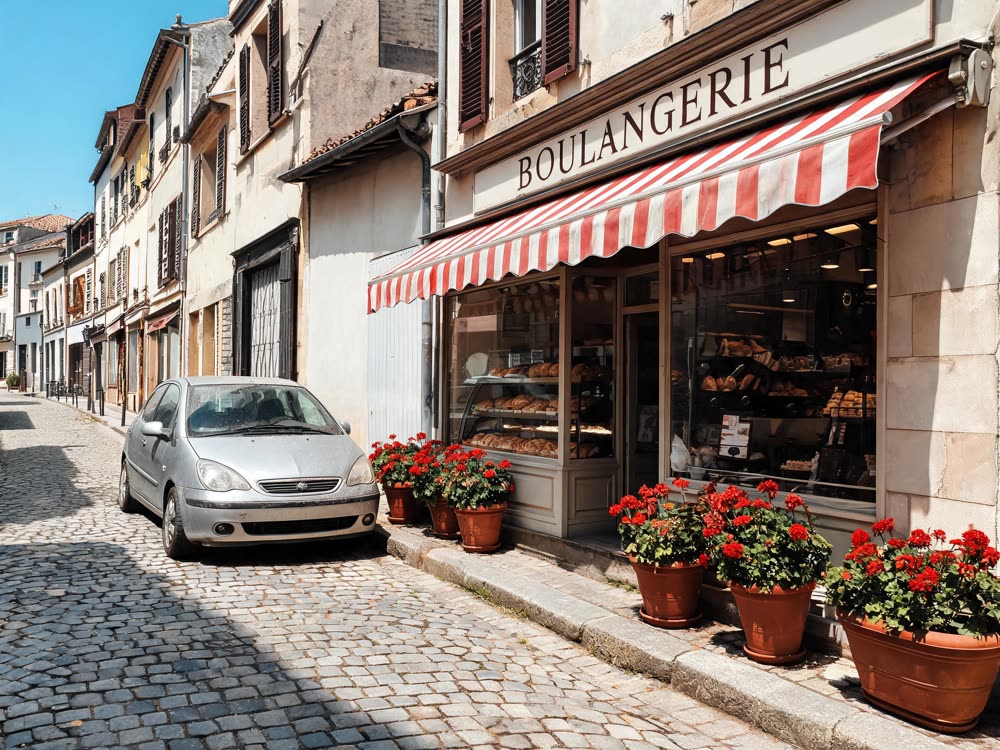
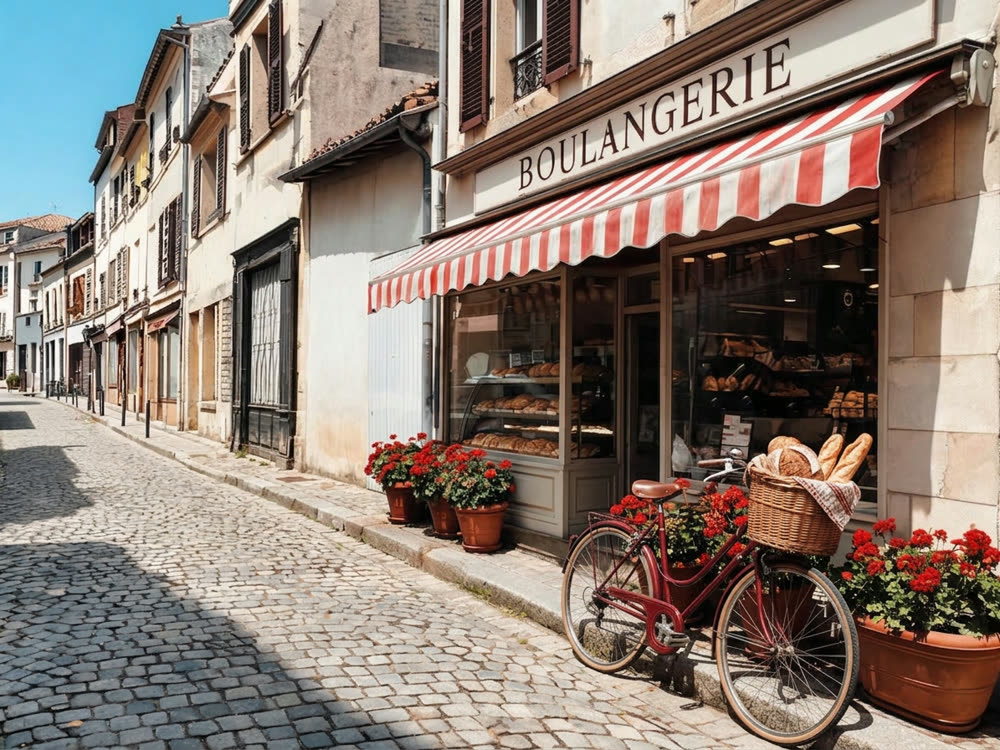
A real result from this tool, made with Nano Banana 2. The prompt: Replace the parked silver hatchback with a red vintage bicycle leaning against the kerb, a wicker basket of bread on the front. Keep the street, the bakery, the awning, the cobbles and the lighting exactly as they are.
What makes it come out well
- Paint a little past the edges of the object, shadow included. A leftover shadow gives away the edit at once.
- To remove something, leave the box empty. If the first try leaves a trace, describe what is behind it, like an empty street.
- Paint one thing per run. Two separate edits come out cleaner than one big mask across the photo.
Questions
Can I remove a person from a photo?
Yes. Paint over them, shadow too, and leave the box empty.
Will the whole photo be changed?
It edits the painted area and keeps the rest, though you should look over the edges of the painted part.