Edit a photo by drawing on it
Upload a photo, sketch over the part that should change and say what goes there. The model redraws that part and keeps the rest of the picture as it was.
You need: One photo, or a blank canvas, and a sentence about the change. A typical run is 16 credits, shown on the button before it starts.
Every run shows its price first, and a run that fails is refunded.
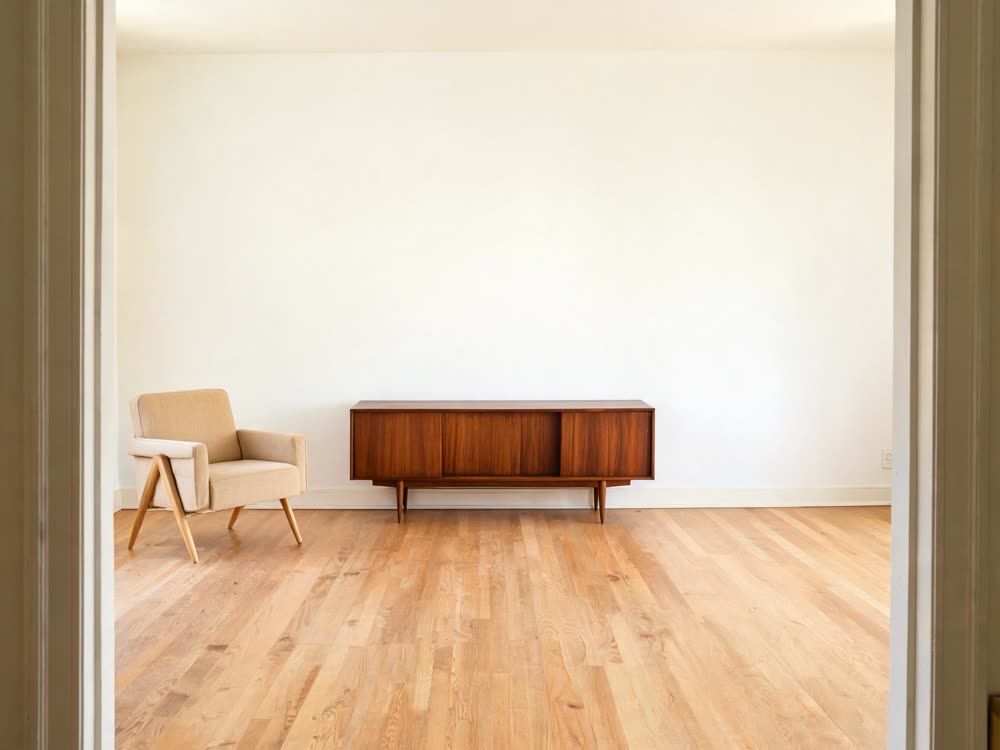
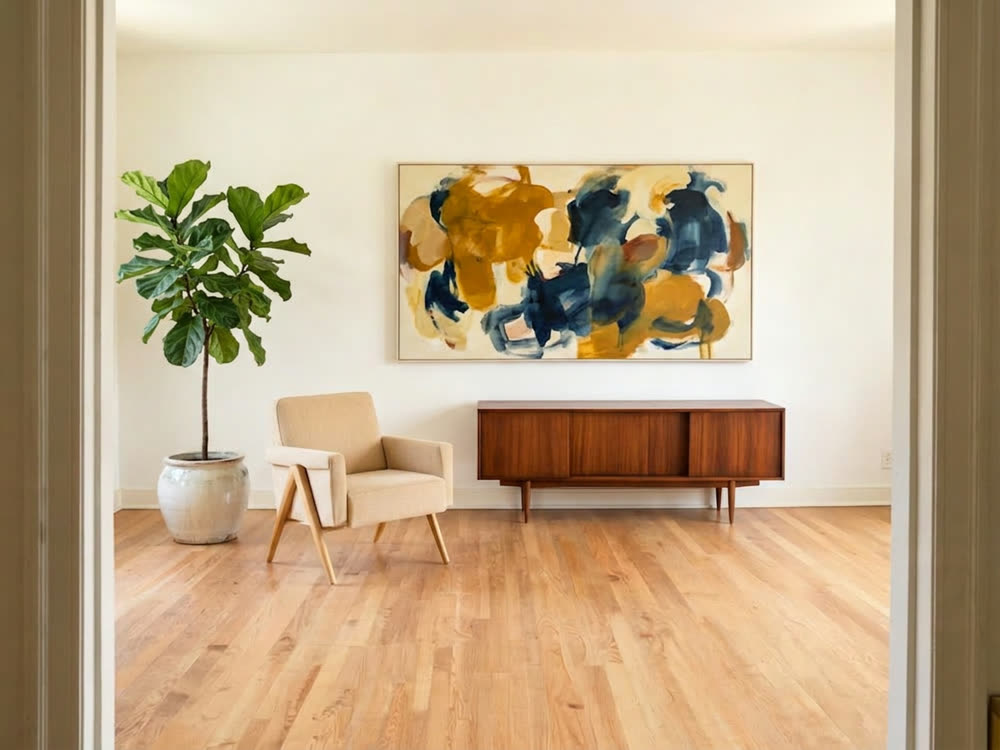
A real result from this tool, made with Nano Banana 2. The prompt: Add a large abstract painting in ochre and deep blue on the bare wall above the sideboard, and a tall fiddle-leaf fig in a ceramic pot beside the armchair. Keep the room, the furniture, the floor and the daylight unchanged.
What makes it come out well
- Draw roughly where the new thing goes and how big it is. The sketch is a placement guide, so a loose outline is enough.
- Say in words what should stay the same: the room, the light, the people. The model keeps what you name.
- Make one change per run. Two edits at once are harder to get right than two runs of one edit each.
Questions
Do I need to draw well?
No. Circles, arrows and scribbles work. The words you add say what the change is, the drawing says where.
Can I start without a photo?
Yes. Pick a blank canvas in one of six shapes and sketch from there.