Put your face in a photo
Add two photos: the scene you want to be in, and a clear photo of your own face. Your face is matched to the head angle and the light, and everything else stays as it was. Use your own face, or one of someone who has agreed to it.
You need: The scene photo, and one clear, well-lit photo of your own face, or of someone who has agreed to it. A typical run is 30 credits, shown on the button before it starts.
Every run shows its price first, and a run that fails is refunded.
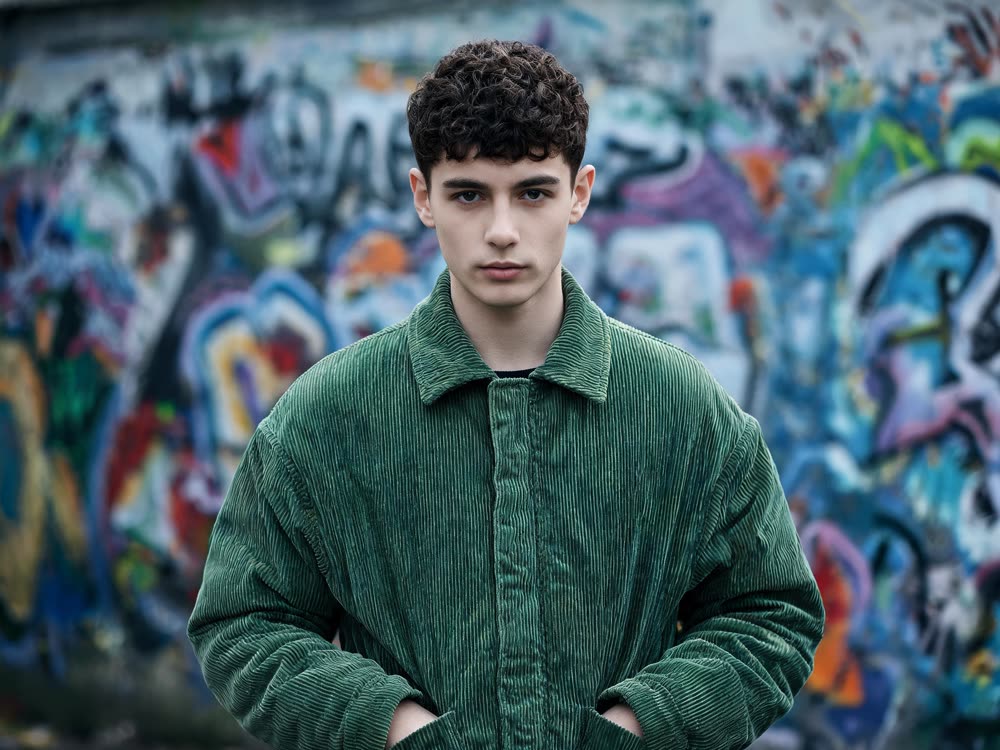
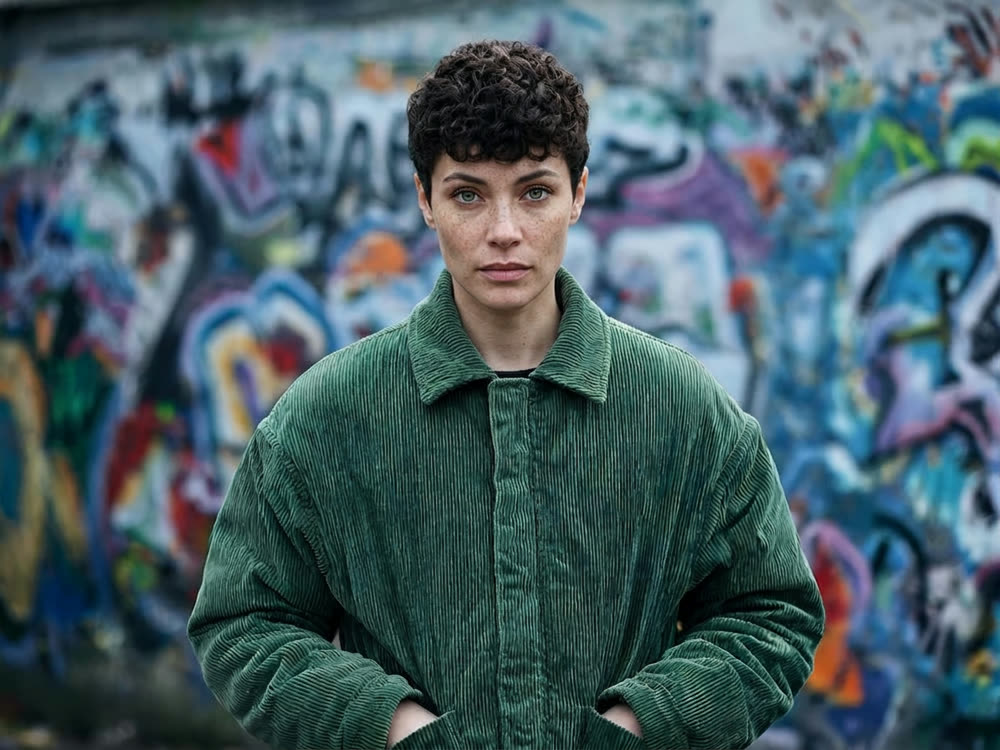
A real result from this tool, made with Nano Banana 2. The prompt: Put my face from my photo (the second image) into this scene (the first image), matching the head angle, lighting and skin tone. Keep the hair, the green corduroy jacket, the pose and the graffitied wall exactly as they are.
What makes it come out well
- Choose a face photo at about the same angle as the target. A profile onto a front-facing pose has to be guessed.
- Use a sharp photo of the new face. Blur and heavy filters carry over into the result.
- If the light in the two photos is very different, say which way the light comes from in the scene.
Questions
Can I put my face in a video too?
Yes, with Your Face in a Video: a short clip and one clear photo of your face.
Can I use a photo of someone else?
Only with their permission. Real people must have agreed to it, and the content rules apply to every run.