Your Look
Lock a character's identity from one reference, then drop them into new scenes, wardrobes, and lighting.


How to keep one character across shots
- 1
Upload an identity reference
A clear face is what the whole tool hangs on: the likeness is locked from this one image and carried into every scene you ask for.
- 2
Choose the scene
The setting, the framing and any extra direction: wardrobe, props, mood. The person stays the same person throughout.
- 3
Set the frame and generate
Aspect decides the shape. Run it again with a different scene to build a set of shots of the same character.
Explore more apps
See all

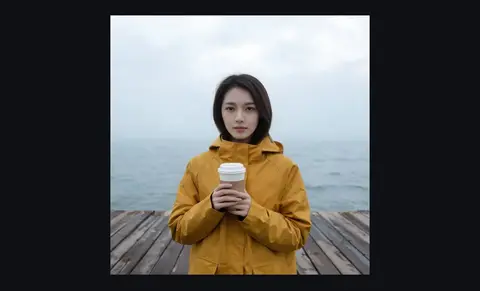





Your Look: questions and answers
›How do I keep the same face across AI portraits?
Upload one reference photo of the person, describe a scene, and pick a style. Seedream 5.0 Lite generates a new portrait that keeps their identity.
›Which styles are available?
Studio portrait, Editorial, Street, Cinematic, Fantasy and Stadium, plus your own scene description and an aspect ratio. The face stays fixed while the scene, wardrobe and light change.
›Whose face can I use?
Your own, or someone who has agreed. Kinoseed's terms forbid impersonating a real person without consent.
Articles about Your Look
- Leonardo AI Alternative: Every Model on Every Plan · Kinoseed as a Leonardo AI alternative: image and video models on every plan, a credit price on every run, credits that stay when you cancel, and when to stay.
- How to Create a Consistent AI Character from One Photo · Create a consistent AI character from one reference photo, then put the same face into new scenes, outfits and lighting without it drifting.