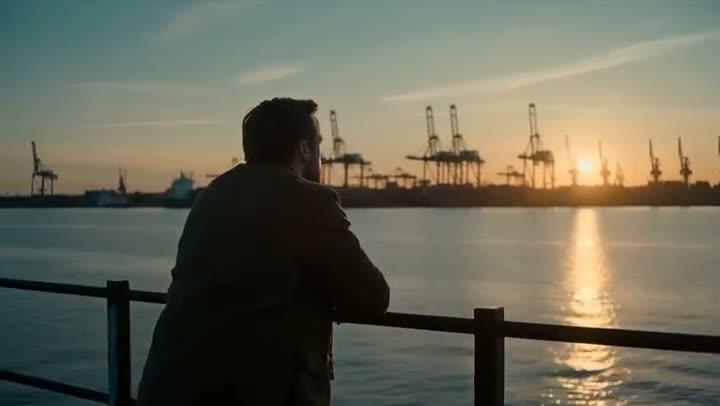
To edit a video with a text prompt, upload the clip to Edit Video, write what should change in the Edit instruction (the season, the weather, the time of day, a material or a whole visual style) and press Apply Edit. The edit model rewrites the frames to match while preserving the original motion, framing and timing. A 3 second clip costs from 45 credits depending on the model.
Edit Video runs Kling 3.0 Omni Edit, Kling O1 Video Edit and Grok Imagine Edit. This article explains how to write an instruction that works, which model to pick, and what each one costs.
What you need
- A short clip as MP4, MOV or WEBM. The Kling models take 3 to 10 seconds; the upload field shows the range for the selected model.
- One clear idea of the change. One instruction beats three vague ones.
Step by step
- 1
Upload the Source video
Drop your clip into Source video. The motion, framing and timing are what get kept, so start from the take you actually want.
- 2
Write the Edit instruction
The field opens with an example: restyle the clip as if shot at golden hour with light rain in the background, preserving the original motion. Replace it with your change. Say what should be different, not what the shot already shows, and end with what to keep.
- 3
Choose the Model
Each row under Model shows its price for your clip. Kling 3.0 Omni Edit is the default and the cheaper Kling option, Kling O1 Video Edit is the other Kling model, and Grok Imagine Edit is the cheapest.
- 4
Set Res or Audio
These follow the model. The Kling models show Audio: Keep original keeps the source sound, Drop removes it. Grok Imagine Edit shows Res instead, 480p or 720p.
- 5
Press Apply Edit
The credit count is on the button. The edited clip lands in the feed, ready to download, with no watermark. A failed run is refunded automatically.
Prompts to copy
Paste any of these into Edit Video as a starting point, then change the details to fit your photo.
Season
Turn this summer scene into deep winter: snow on the ground and the branches, breath visible in the cold air, overcast light. Keep the people, their movement and the camera exactly as they are.
Time of day
Make this look like it was shot at night: street lamps on, windows lit, a cool blue ambient light. Preserve the original motion and framing.
Style
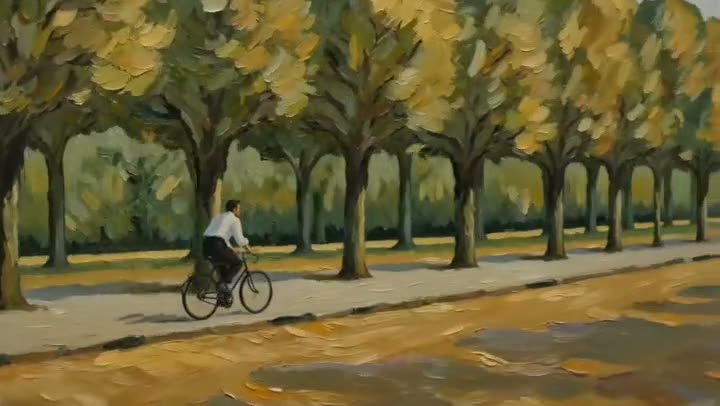
Render the whole clip as a hand-painted watercolour, soft washes and visible paper texture, while the motion underneath stays completely intact.
What each model costs
Kling 3.0 Omni Edit, the default: 70 credits for 3 seconds, 120 for 5 and 230 for 10. Kling O1 Video Edit: 95, 160 and 310. Grok Imagine Edit at 720p: 45, 75 and 150.
The Starter plan's 1,200 monthly credits cover 10 five second edits on Kling 3.0 Omni Edit, or 16 on Grok Imagine Edit. See pricing.
When to use a dedicated tool instead
Edit Video is the general one. For a colour look only, Color Grading is built for it. To replace the person in the clip, use Recast. To add a product into the scene, see AI product placement.
More examples
Tips for better results
- End the instruction with what to keep: "keep the people, the motion and the camera exactly as they are". It anchors the edit.
- Draft on Grok Imagine Edit. At 45 credits for 3 seconds it is the cheapest way to see if an instruction works before running it on Kling.
- Trim first. Every model bills per second of the source, so cut the clip to the shot you need.
- Change one thing per pass. Weather first, then style, gives you more control than both at once.
Frequently asked questions
What does editing a video with a text prompt cost?
Generating starts with a plan. A 3 second edit on Grok Imagine Edit costs 45, so the $10 Basic plan (500 credits a month) covers a short test. The Kling models start at 70 credits.
Does the edit keep the original motion?
That is what the edit models are for: they rewrite what the frames look like while keeping the movement, framing and timing of the source. Bigger changes, like turning a person into a different character, give the model more room to drift.
Which model should I pick?
Start with Kling 3.0 Omni Edit, the default. Try Kling O1 Video Edit when you want the other Kling take, and Grok Imagine Edit for the cheapest drafts. Each row under Model shows its price for your clip before you choose.
Can I keep the sound?
On the Kling models, yes: Audio is set to Keep original by default. Grok Imagine Edit has no audio option.
Try it on your own shot.
Edit Video is open to explore. The price of a run is on the button before you spend anything.