Breakdown
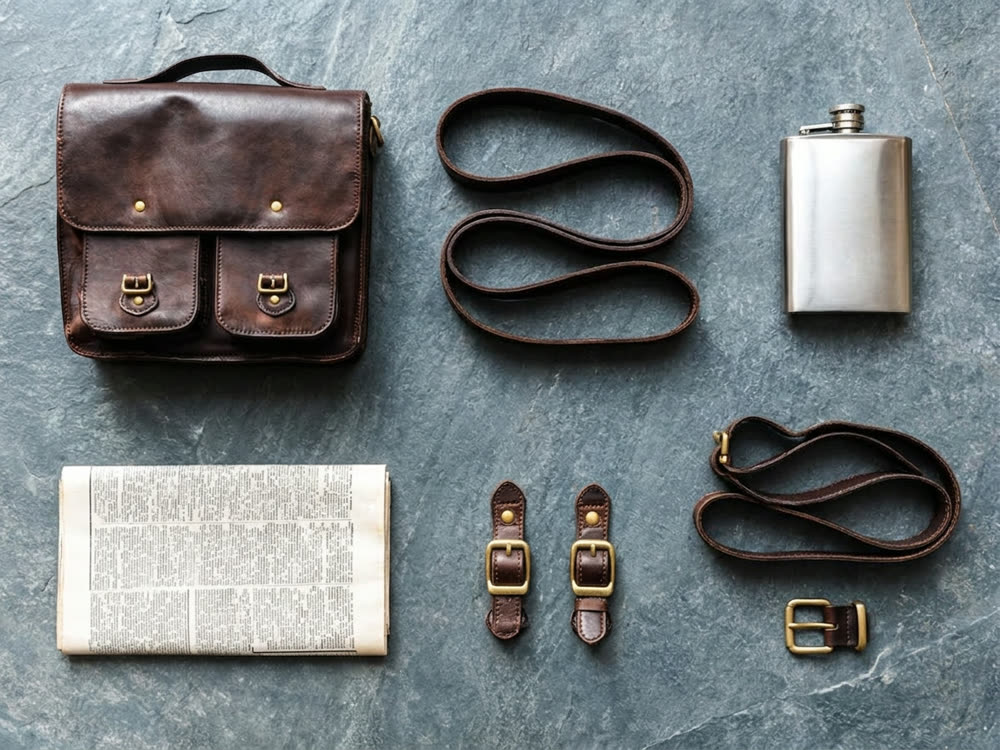
One photograph in, its parts laid out separately: the same objects, taken apart.
a neat knolling grid: every part separated, evenly spaced, aligned to a strict rectangular layout, shot from directly above
on the same surface and under the same light as the original photograph
Aspect
16creditsCtrl⏎

◂▸
OriginalBroken downSign in to start generating
How to break an image into components
- 1
Upload one object
A single item or a tight group. A busy scene has no obvious parts, so the result is guesswork.
- 2
Choose the layout
Knolling for a catalogue look, exploded when the parts fit together, a row when there are only a few.
- 3
Set the surface
Keep the original surroundings, or drop everything onto a clean studio surface.
Explore more apps
See all





Breakdown: questions and answers
›What does Breakdown do?
It takes a photo of an object and lays its parts out separately, as a knolling grid, an exploded diagram or a single row. Nano Banana 2 generates the image.
›What photos work best for a knolling or exploded view?
A single item or a small group. A busy scene has no obvious parts, so the result becomes guesswork.
›Can I change the background?
Yes. Keep the original surface and light, or put everything on a studio grey surface or plain paper.